Machine Readiness
Stored receipt and evidence
16
55
0
0
0
Samples
No stored offer samples.
Samples
No stored action samples.
Samples
No stored product samples.
Document
User-agent: *
Allow: /

Sitemap: https://needle.tools/sitemap.xml
Document
Not stored for this site.
Document
# Needle Engine Documentation - Links
# 2/27/2026, 1:24:53 PM
# Base URL: https://engine.needle.tools/docs
Needle Engine for Unity
https://engine.needle.tools/docs/unity/
Tutorials
https://engine.needle.tools/docs/tutorials/
Using Needle Engine with three.js
https://engine.needle.tools/docs/three/
Reference
https://engine.needle.tools/docs/reference/
How-To Guides
https://engine.needle.tools/docs/how-to-guides/
Help & Community
https://engine.needle.tools/docs/help/
gltf-progressive
https://engine.needle.tools/docs/gltf-progressive/
Getting Started & Installation
https://engine.needle.tools/docs/getting-started/
Explanation
https://engine.needle.tools/docs/explanation/
Integrate with other tools
https://engine.needle.tools/docs/custom-integrations/
Needle Cloud
https://engine.needle.tools/docs/cloud/
Needle Engine for Blender
https://engine.needle.tools/docs/blender/
AI Assistant & Tools
https://engine.needle.tools/docs/ai/
getting-started.html
https://engine.needle.tools/docs/getting-started
Using Needle Engine directly from HTML
https://engine.needle.tools/docs/vanilla-js
## Ai
Needle MCP Server — Local AI for Needle
https://engine.needle.tools/docs/ai/needle-mcp-server
## Blender
Animation in Blender
https://engine.needle.tools/docs/blender/animation
Components in Blender
https://engine.needle.tools/docs/blender/components
Lightmapping in Blender
https://engine.needle.tools/docs/blender/lightmapping
## Explanation
Exporting to glTF
https://engine.needle.tools/docs/explanation/exporting-to-gltf
## Architecture
Technical Overview
https://engine.needle.tools/docs/explanation/architecture/technical-overview
## Core Concepts
Automatic Component Generation
https://engine.needle.tools/docs/explanation/core-concepts/component-compiler
Feature Overview
https://engine.needle.tools/docs/explanation/core-concepts/features-overview
Our Vision 🔮
https://engine.needle.tools/docs/explanation/core-concepts/vision
Structure of a Needle Engine project
https://engine.needle.tools/docs/explanation/core-concepts/project-structure
## Networking
Networking Architecture
https://engine.needle.tools/docs/explanation/networking/architecture
## Help
Testimonials
https://engine.needle.tools/docs/help/testimonials
## How To Guides
VR & AR (WebXR)
https://engine.needle.tools/docs/how-to-guides/xr/
Frameworks, Bundlers, HTML
https://engine.needle.tools/docs/how-to-guides/web-integration/
Optimization & Compression
https://engine.needle.tools/docs/how-to-guides/optimization/
Networking & Multiplayer
https://engine.needle.tools/docs/how-to-guides/networking/
Everywhere Actions — Interactive USDZ & QuickLook Experiences for iOS
https://engine.needle.tools/docs/how-to-guides/everywhere-actions/
Deployment Platforms
https://engine.needle.tools/docs/how-to-guides/deployment/
Debugging Parameters & Options
https://engine.needle.tools/docs/how-to-guides/debugging/
Local Development Help
https://engine.needle.tools/docs/how-to-guides/testing
## Components
Add Contact Shadows (ContactShadows)
https://engine.needle.tools/docs/how-to-guides/components/contact-shadows
Camera Controls (OrbitControls)
https://engine.needle.tools/docs/how-to-guides/components/orbit-controls
Create Scroll-Based Animations (ScrollFollow)
https://engine.needle.tools/docs/how-to-guides/components/scroll-follow
Drag and Drop Files into Your Scene
https://engine.needle.tools/docs/how-to-guides/components/droplistener
Drag Objects in Your Scene (DragControls)
https://engine.needle.tools/docs/how-to-guides/components/drag-controls
Duplicate Objects by Dragging (Duplicatable)
https://engine.needle.tools/docs/how-to-guides/components/duplicatable
Make Objects Follow the Cursor
https://engine.needle.tools/docs/how-to-guides/components/cursor-follow
Play Videos in Your Scene
https://engine.needle.tools/docs/how-to-guides/components/video-player
Switch Between Scenes (SceneSwitcher)
https://engine.needle.tools/docs/how-to-guides/components/scene-switcher
## Deployment
Embedding Needle Engine
https://engine.needle.tools/docs/how-to-guides/deployment/embedding
## Export
MaterialX
https://engine.needle.tools/docs/how-to-guides/export/materialx
## Integrations
Integrating with Adobe Experience Manager (AEM)
https://engine.needle.tools/docs/how-to-guides/integrations/adobe-experience-manager
Integrating with Framer
https://engine.needle.tools/docs/how-to-guides/integrations/framer
Integrating with Wordpress
https://engine.needle.tools/docs/how-to-guides/integrations/wordpress
## Networking
Enable Networking
https://engine.needle.tools/docs/how-to-guides/networking/setup
Host Your Own Networking Server
https://engine.needle.tools/docs/how-to-guides/networking/custom-servers
Manual Networking
https://engine.needle.tools/docs/how-to-guides/networking/manual-networking
Networking Concepts
https://engine.needle.tools/docs/how-to-guides/networking/concepts
Sync Component State
https://engine.needle.tools/docs/how-to-guides/networking/sync-state
## Scripting
Create Components
https://engine.needle.tools/docs/how-to-guides/scripting/create-components
Detect Mobile Devices and Platforms
https://engine.needle.tools/docs/how-to-guides/scripting/detect-mobile-devices
Handle User Input
https://engine.needle.tools/docs/how-to-guides/scripting/handle-input
MaterialPropertyBlocks
https://engine.needle.tools/docs/how-to-guides/scripting/material-property-blocks
Perform Raycasting
https://engine.needle.tools/docs/how-to-guides/scripting/perform-raycasting
Use Coroutines
https://engine.needle.tools/docs/how-to-guides/scripting/use-coroutines
Use Lifecycle Hooks
https://engine.needle.tools/docs/how-to-guides/scripting/use-lifecycle-hooks
Use Physics
https://engine.needle.tools/docs/how-to-guides/scripting/use-physics
## Web Integration
Create Responsive 3D Layouts
https://engine.needle.tools/docs/how-to-guides/web-integration/responsive-design
Progressive Web Apps (PWA)
https://engine.needle.tools/docs/how-to-guides/web-integration/pwa
## Xr
iOS WebXR Support for Needle Engine
https://engine.needle.tools/docs/how-to-guides/xr/ios-webxr-app-clip
VR Performance Optimization
https://engine.needle.tools/docs/how-to-guides/xr/vr-performance
WebXR Image Tracking with Needle Engine
https://engine.needle.tools/docs/how-to-guides/xr/image-tracking
## Reference
@serializable and other decorators
https://engine.needle.tools/docs/reference/typescript-decorators
<needle-engine> Attributes
https://engine.needle.tools/docs/reference/needle-engine-attributes
Additional Modules
https://engine.needle.tools/docs/reference/modules
Needle Core Components
https://engine.needle.tools/docs/reference/components
needle.config.json
https://engine.needle.tools/docs/reference/needle-config-json
Project Templates & Samples
https://engine.needle.tools/docs/reference/templates
Questions and Answers (FAQ) 💡
https://engine.needle.tools/docs/reference/faq
Scripting Examples
https://engine.needle.tools/docs/reference/scripting-examples
## Api
Component Lifecycle Methods
https://engine.needle.tools/docs/reference/api/lifecycle-methods
Input Event Methods
https://engine.needle.tools/docs/reference/api/input-events
Networking Events
https://engine.needle.tools/docs/reference/api/networking-events
Physics Event Methods
https://engine.needle.tools/docs/reference/api/physics-events
Time API
https://engine.needle.tools/docs/reference/api/time
XR Event Methods
https://engine.needle.tools/docs/reference/api/xr-events
## Three
Needle Inspector — DevTools for three.js
https://engine.needle.tools/docs/three/needle-devtools-for-threejs-chrome-extension
## Tutorials
Needle Engine for 8th Wall Users
https://engine.needle.tools/docs/tutorials/for-8thwall-users
## Fundamentals
C# to TypeScript Translation Guide
https://engine.needle.tools/docs/tutorials/fundamentals/c-sharp-to-typescript
For Blender Artists
https://engine.needle.tools/docs/tutorials/fundamentals/for-blender-artists
Needle Engine for Unity Developers
https://engine.needle.tools/docs/tutorials/fundamentals/for-unity-developers
TypeScript Essentials
https://engine.needle.tools/docs/tutorials/fundamentals/typescript-essentials
Working with Unity Integration
https://engine.needle.tools/docs/tutorials/fundamentals/unity-integration
## Unity
Editor Sync
https://engine.needle.tools/docs/unity/editor-sync
Getting Started with Unity
https://engine.needle.tools/docs/unity/getting-started
# Needle Engine CHANGELOG
Source: https://github.com/needle-tools/needle-engine-support/releases
# Changelog
All notable changes to this package will be documented in this file.
The format is based on [Keep a Changelog](http://keepachangelog.com/en/1.0.0/)
and this project adheres to [Semantic Versioning](http://semver.org/spec/v2.0.0.html).
## [4.15.0] - 2026-02-27
- **NEW**: Accessibility support with screen reader overlay. The engine now maintains a visually-hidden DOM tree mirroring 3D scene objects with ARIA roles and labels. Components like Button, Text, DragControls, and USDZ behavior components automatically register accessible elements.
- Add: `AccessibilityManager` accessible via `context.accessibility` for managing accessible elements, focus, and hover announcements
- Add: ReflectionProbe now supports assigning a URL string as texture (for Blender workflows)
- Update: Networking backend migrated to Cloudflare Durable Objects for improved scalability, per-room isolation, and reduced latency
- Improved MaterialPropertyBlock documentation with examples for material swapping behavior and override management
- Improved documentation for Networking, OneEuroFilter, and needle-button web component
## [4.14.0] - 2026-02-19
- Add: MaterialPropertyBlock support. This allows you to change material properties of objects without breaking batching and instancing.
It can be used by calling `const block = MaterialPropertyBlock.get(myObject);` and then set or remove overrides on the block.
This even supports the same material being rendered as transparent for one object and opaque for another.
- Add: Support of ReflectionProbe + Lightmap rendering on the same object
- Add: CustomShader (Unlit) support with VideoPlayer component
- Improved `?stats` console logs with info about shaders and used memory
- Improved documentation
## [4.13.1] - 2026-02-13
- Improved code documentation across the engine
- Improved ContactShadows to allow updating darkness and opacity dynamically at runtime
- Fix: Support for Lightmaps and ReflectionProbes on the same object
- Fix: Eventlist bug with instantiation ([Forum post](<https://forum.needle.tools/t/camera-orbit-controls-nan-in-new-scene/2779/6>))
## [4.13.0] - 2026-02-10
- **NEW**: Needle Engine MaterialX loader added to core. No extra dependency to @needle-tools/materialx is required anymore
- Fix: ContactShadows rendering
- Fix: Memory issue caused by ReflectionProbes component
## [4.12.5] - 2026-02-09
- Update three.js dependency
- Minor log improvements in development mode
## [4.12.4] - 2026-02-05
- Fix: WebXR image tracking support for multiple images (iOS + Android)
- Change: Animation and Animator components now checks in local dev if the root object to be animated is marked as static and won't automatically update matrices
- Improved iOS WebXR balloon message rendering to not overlap with camera or menu button
## [4.12.3] - 2026-02-04
- Add: `getComponentInChildren` and `getComponentInParent` now expose the `includeInactive` parameter to include inactive objects in the search
- Change: Improved XR `sessiongranted` temporary scene design (removing temporary objects in AR and adding support for custom logo display while the AR session is initializing)
- Fix: iOS WebXR canvas size for screenspace UI rendering
- Fix: iOS WebXR UI InputField support
- Fix: Invalid input event causing issue in OrbitControls when pressing multiple mouse buttons at the same time
## [4.12.2] - 2026-02-03
- Add: `showBalloonMessage` now also render in AR sessions
- Fix: iOS WebXR DOM-Overlay fixed
- Fix: iOS WebXR custom Quit AR button fixed
## [4.12.2] - 2026-02-03
- **NEW:** WebXR support for iOS - Your AR experiences now launch instantly on iPhone and iPad without app installation. Just tap "Enter AR" and you're in. Powered by Needle Go AppClip, combining Apple's excellent AR tracking with standards-compliant WebXR. Try it at [appclip.needle.tools](https://appclip.needle.tools)
- **NEW:** Intellisense support for the `<needle-engine>` web component and its attributes, both in HTML and in code. The `custom-elements.json` allows for VSCode intellisense support, while `HTMLElementTagNameMap` and `get/setAttribute` overloads bring code completion and documentation.
- Add: exposed `createCollider` API for the Rapier physics engine
- Add: `beforeLODExport` callback for USDZ export. This allows overriding which LOD level gets exported per object.
- Add: `?spector=#frame` URL parameter to enable a Spector.js capture on the specified frame number after page load. Make sure to install the [Spector.js browser extension](<https://chromewebstore.google.com/detail/spectorjs/denbgaamihkadbghdceggmchnflmhpmk?pli=1>). You can optionally specify a frame number for capturing: `?spector=15`.
- Add: auto-registration of custom elements for easier discovery of available web components in Needle Engine. You can disable this feature by setting `noCustomElementData` to false in vite config. To manually register custom elements data, add it to your workspace or `.vscode/settings.json` via the `html.customData` setting.
- Add: Support for rotation and scaling in DropListener component
- Improve: VisionOS and iPad detection for better WebXR compatibility
- Improve: WebXR session flow and error handling
- Improve: QuickLook integration - disabled by default in WebXR component, shows "Open in Quicklook" button
- Improve: SceneSwitcher now supports multiple scene switchers referencing the same asset reference
- Improve: DragControls smoothed velocity calculations and region support
- Improve: Detection of user interactions to enable media playback
- Improve: JSDoc documentation for Everywhere Actions and other components
- Fix: issue with callbacks on freshly destroyed components when leaving XR sessions
- Fix: Instancing issue with growing vertex/index buffers when not necessary
- Fix: Issue with `<needle-engine>` element being moved in the DOM
- Fix: Better type declarations in package.json
## [4.11.5] - 2025-10-31
- Fix: Timeline cloning with `instantiate` ([forum 2733](<https://forum.needle.tools/t/2733>))
- Fix: Renderer `sharedMaterials` being null in awake
- Fix: Issue where lightmapped materials were cloned
- Fix: Apply lighting intensity multiplier in root scene
- Fix: GLTF extensions when loading scene with Blob URL
- Improve JSDoc documentation
## [4.11.4] - 2025-10-24
- Add: `qrcode-logo-src` attribute to `<needle-engine>` web component to override the logo displayed in the QR code button. Requires PRO license.
- Improve JSDoc documentation
## [4.11.3] - 2025-10-21
- Fix: See-Through with MeshPhysicalMaterial
## [4.11.2] - 2025-10-20
- Change: Animation component disable `randomStartTime`
- Change: Vite build build pipeline plugin increased default max wait time to 60 seconds.
This time is now exposed via `needlePlugins` user config, e.g. to increase it to 5 minutes write `needlePlugins(command, needleConfig, { buildPipeline: { maxWaitDuration: 300_000 } })` in your `vite.config.js`.
## [4.11.1] - 2025-10-16
- Fix: WebXR / VR issue where trying to access missing geometry during raycasting caused errors
- Change: ScrollFollow now only applies when scroll has changed. It also immediately jumps to the target position on the first update instead of interpolating (avoiding interpolation through long timeline animations).
- Change: SplineWalker now has an option to disable LookAt. It also received a `pullStrength` property which controls how tightly the object moves along the spline.
- Improved: OrbitControls and ViewBox interaction
## [4.11.0] - 2025-10-15
- **NEW**: SeeThrough component. With this component you can easily fade-out objects between the camera and a reference point in the scene. See the [See-Through sample](<https://see-through-walls-z23hmxbz1kjfjn.needle.run/>) to see it in action
- **NEW**: [Droplistener sample](<https://engine.needle.tools/samples/droplistener/>)
- Add: CursorFollow option to follow cursor on the full page, even when a user moves their mouse outside of the `<needle-engine>` element.
- Add: CursorFollow `snapToSurface` option to automatically snap the object to the surface below the cursor.
- Add: Object3D `raycastAllowed` property to disable raycasting on specific objects (e.g. for performance reasons or to ignore invisible helper objects)
- Add: OrbitControls `targetBounds` property which can be used to constrain the OrbitControls target within a defined area in the scene. A Object3D can be assigned to the property. The position and scale of this object will be used.
- Add: *Experimental* - Vite plugin to generate `needle-app.js` which encapsulates the whole website into a single web component. The `needle-app.js` file will be emitted next to index.html and can be used to directly embed the website and 3D assets into another website by importing `<url>/needle-app.js` and then using the `<needle-app></needle-app>` web component.
- Add: Object3D `contains(otherObject: Object3D)` method to check if an object is a child of another object in the scene graph
- Fix: three nodes update camera for TSL
- Fix: Renderer lightmaps are now updating `sharedMaterials`
- Fix: `Gizmos.DrawWireMesh` matrix
- Fix: Image UI color was sometimes not correctly calculated for Button color states when used with the CanvasGroup component
- Fix: ScrollMarker issue
- Improved JSDoc documentation
## [4.10.4] - 2025-10-08
- Update: three-animation-pointer dependency to 1.0.4 to support KHR_node_visibility extension
- Documentation improvements
## [4.10.3] - 2025-10-06
### Needle Engine
- Add: [`ScrollFollow`](<https://engine.needle.tools/docs/api/ScrollFollow>) timeline markers can now be defined in HTML only and don't require markers to be present in the Timeline anymore. This means any timeline animation can now be mapped to HTML content by annotating the HTML elements.
For example `<div data-timeline-marker="2.5">` will define that the timeline should reach the time 2.5 seconds when this element becomes visible in the viewport. The [bike-scroll-follow example on Github](<https://github.com/needle-engine/needle-engine-bike-scrollytelling/tree/main>) will be updated to use this new feature soon ([example index.html](<https://github.com/needle-engine/needle-engine-bike-scrollytelling/blob/main/Scroll%20Bike%20Website/index.html>)).
## [4.10.1] - 2025-09-30
- Change: ViewBox `referenceFieldOfView` can now set to `-1` to automatically take the camera's field of view at runtime
- Fix: ViewBox evaluation order is now hierarchy-independent (Previously OrbitControls panning might be applied after ViewBox calculations if the ViewBox component was on a parent object)
## [4.10.0] - 2025-09-29
- **NEW**: [**Scrollytelling Bike Example**](https://scrollytelling-bike-z23hmxb2gnu5a.needle.run/) – This example uses ViewBox, FocusRect and ScrollFollow to create a scrollytelling experience. All project files are [available on Github](<https://github.com/needle-engine/needle-engine-bike-scrollytelling>).
- **NEW**: HoverAnimation component. Use this component to get a scale hover animation of an object when the cursor is hovering over the object or one of it's children.
- **NEW**: ViewBox component. Use this component to automatically perfectly fit your 3D scene into the camera view. Try the Scrollytelling Example to see it in action, test the [example on Stackblitz](<https://stackblitz.com/edit/needle-engine-view-box-example?file=src%2Fmain.ts>) or see the [ViewBox documentation](<https://engine.needle.tools/docs/api/ViewBox>) for details.
- Add: `fitCamera` function
- Add: `<needle-engine poster>` attribute. It works with an URL to an image that should be shown as a poster image. If no URL is assigned then the poster that is automatically generated during the first frame will be used.
- Add: `<needle-engine focus-rect="<html_selector">` attribute. Assign a HTML selector to the attribute to use a specific HTML element on screen offset the 3D camera center to the center of the HTML element. (The same can be done programmatically using `ctx.setCameraFocusRect(<html_element|DOMRect>)`)
- Add: Timeline [ScrollMarker](<https://engine.needle.tools/docs/api/ScrollMarkerModel>) for Unity and Blender timeline animations to control timing based on HTML visibility.
- Fix: Renderer `material` accessing error when component was not yet initialized
- Fix: Poster screenshot glitch during the first frame (development only)
- Fix: HTC Vive Focus 3 controller movement ([forum post](<https://forum.needle.tools/t/movement-via-controller-in-vr-with-htc-vive-focus-3/2718>))
- Change: Loading display does not show Needle logo anymore by default
- Change: Use fallback raycast method for lowpoly meshes while the faster mesh BVH is being generated
## [4.9.3] - 2025-09-15
- Fix: SpriteRenderer index issue when animated where animation precision issue was causing the wrong sprite to be selected ([issue](<https://forum.needle.tools/t/switching-sprite-images-via-timeline-causes-ghosting-glitches-when-exported/2709>))
- Fix: Scaling scene in AR with multitouch causing camera projection issue for a frame ([issue](<https://forum.needle.tools/t/3d-assets-warping-on-rotation-in-ar>))
## [4.9.1] - 2025-09-11
- Update [ScrollFollow component](<https://engine.needle.tools/docs/api/ScrollFollow>) documentation
- Update Renderer `sharedMaterial` typescript type
## [4.9.0] - 2025-09-08
- **NEW**: [**Scrollytelling Example**](<https://scrollytelling-2-z23hmxby7c6x.needle.run/>)
- **NEW**: Spline support with SplineContainer and SplineWalker components
- SplineContainer: Holds the spline data. Use `addKnot` and `removeKnot` to modify the spline and `getPointAt(t01:number)` to get a point on the spline curve. Splines currently only support cubic interpolation.
- SplineWalker: Component for moving objects along a spline. It can automatically move along the spline or be controlled by animations or other components by setting the `position01` property.
- **NEW**: [Attractor component](<https://engine.needle.tools/docs/api/Attractor>) – Add Rigidbodies to the list to attract physical objects towards a point in space (or apply repulsion).
- **NEW**: [CursorFollow component](<https://engine.needle.tools/docs/api/CursorFollow>) – Does what it says! Add the component to an object to make it follow your cursor (or touch) on screen.
- **NEW**: [ScrollFollow component](<https://engine.needle.tools/docs/api/ScrollFollow>) – Use browser scroll to influence animation, audio, light... in your scene.
- Add: WebXRImageTracking methods for `setPrimaryImage` and `addImage` to simplify image tracking changes at runtime.
- Add: Object3D `worldForward` can now be set (e.g. `myObject.worldForward = new Vector3(0,0,1)`)
- Fix: [XR] Issue where NeedleXRSession would invoke controller-added callback twice
- Fix: [XR] Issue where invalid value in XRControllerMovement would break rendering when using hand tracking
- Fix: [XR] NeedleXRController getButton for xr-standard-trigger and getStick("primary")
- Fix: Capsule collider height
- Fix: Issue where disposing object resources would cause errors in three.js
## [4.8.9] - 2025-09-05
- Add: OrbitControls `fitCamera` has now additional options for `fitDirection`, `cameraOffset`, `relativeCameraOffset`, `targetOffset` and `relativeTargetOffset` giving more fine-grained control over the final camera view where necessary ([Stackblitz](<https://stackblitz.com/edit/needle-engine-fit-camera-options?file=src%2Fscripts%2FPanelsAndText.ts,index.html,src%2Fmain.ts>)).
- Add: ContactShadows properties to `fitShadows` and static `ContactShadows.auto()` for more fine-grained control over which objects to fit the shadow to or to apply slight offsets to the shadow plane
- Add: NestedGltf component `loaded` event property
- Fix: OrbitControls should not override the camera FOV
- Fix: Updating the `scene.background` when setting both <needle-engine> `background-color` and `background-image` or switching between one or the other
- Fix: When setting `<needle-engine environment-image="url">` the assigned image should be respected by the engine and loaded glTF files (even if they bring their own skybox and environment images)
- Fix: Issue with `<needle-engine autoplay>` animation speed and when using the AnimationUtils.autoplay feature where animations would play faster than expected
- Fix: Minor fixes in Vite plugins
- Change: ReflectionProbes are not applied on Objects that use lightmapping
## [4.8.8] - 2025-08-29
- Fix: iOS AR image tracking bug where having multiple `WebXRImageTracking` components in the scene cause unexpected behaviour or invalid USDZ files
- Fix: DropListener `loadFromURL` now returns the promise to make awaiting the loaded asset much easier
- Fix: Issue where `<needle-engine autoplay>` would play animations faster than expected
- Change: OrbitControls with locked target constraint is now updating the constraint position when calling e.g. `setTargetPosition`
- Add: `setCameraFocusRect` method on Needle Context for easier responsive layouting.
With this you can e.g. overlay the webgl scene with HTML elements and pass in a div element for keeping important elements visible.
[Example 1 Website](<https://responsive-layout-z23hmxb22no6t.needle.run/>) | [Code on Stackblitz](<https://stackblitz.com/edit/needle-engine-camera-focus-rect?file=src%2Fsidebar.ts,index.html,src%2Fmain.ts>)
[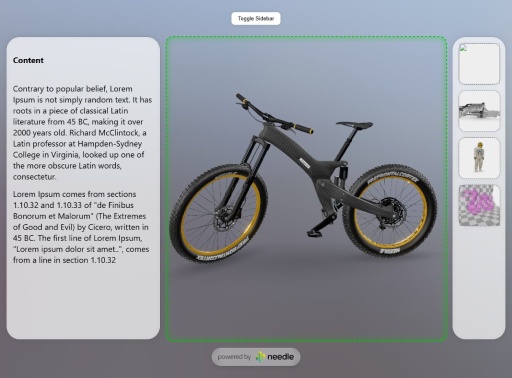](<https://responsive-layout-z23hmxb22no6t.needle.run/>)
[Example 2 Website](<https://responsive-layout-click-example-z23hmxbzuyk6y.needle.run/>) | [Code on Stackblitz](<https://stackblitz.com/edit/needle-engine-camera-focus-rect-click-to-move?file=index.html,src%2Fmain.ts>)
[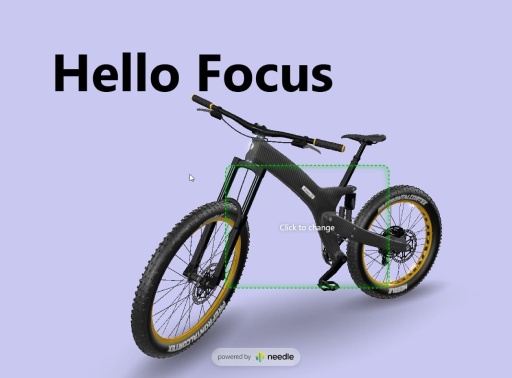](<https://responsive-layout-click-example-z23hmxbzuyk6y.needle.run/>)
## [4.8.7] - 2025-08-27
- Add: New [@needle-tools/three-animation-pointer](<https://www.npmjs.com/package/@needle-tools/three-animation-pointer>) package
- Add: `loadPMREM(<url>)` function
## [4.8.6] - 2025-08-20
- Bump three dependency to fix issue caused by KTX2Exporter
## [4.8.5] - 2025-08-20
- Add: Much faster loading for skyboxes and environment maps when using presets. E.g. `<needle-engine environment-image="studio"></needle-engine>`. Supported values are `studio`, `blurred-skybox`, `quicklook`, `quicklook-ar`
- Change: TransformControls now also enable `fastMode` on the SyncedTransform component
- Change: The mobile javascript console now needs to be explictly enabled using the `?console` flag. This change has been made to improve the local development experience. Previously the javascript console would be initialized in local development environments but stay invisible until e.g. an error would be detected. This did sometimes cause performance issues when very large objects would be logged in development
## [4.8.4] - 2025-08-18
- Update `@needle-tools/gltf-progressive` dependency which adds a `waitForFirstCapture` bool option to `awaitLoading(<opts>)`. With this you can call `manager.awaitLoading({waitForFirstCapture:true})` to get a promise that does not resolve until the next requested LOD levels have finished to load.
[**Here**](<https://lods-loading-overlay-z23hmxbz29h8vr.needle.run/>) is an example deployed to Needle Cloud + [here](<https://stackblitz.com/edit/needle-engine-wait-for-lods?file=src%2Fmain.ts>) is a example on Stackblitz which makes use of this feature to add a custom loading overlay.
- Fix: When using Needle Engine in Gemini Editor the webrtc dependency caused issues due to Gemini making `getUserMedia` read-only.
[**Example React Shopping App**](<https://reactshoppingcart-z23hmxbzcfkmf.needle.run/>) built by Gemini with Needle Engine ([Code on Stackblitz](<https://stackblitz.com/edit/needle-react-shopping-cart-2?file=src%2FApp.tsx,index.html,src%2Fmain.tsx>))
- Fix: When using pre-bundled Needle Engine (e.g. from jsdelivr) the mesh-bvh worker path was not correctly resolved
- Change: `<needle-engine>` CSS z-index setting where the `<needle-menu>` element would be rendered above elements outside the `<needle-engine>` component. This would cause issues where e.g. a sidebar should overlay the page.
- Change: Reduce default z-index for Needle loading logo
## [4.8.3] - 2025-08-18
- Change: Clamp devicePixelRatio to `2` by default. This can be overriden by setting the Needle Engine Context's `devicePixelRatio` to e.g. `window.devicePixelRatio`
- Update `@needle-tools/gltf-progressive` dependency to expose `overrideLodLevel`. This can be used to override which LOD level will be loaded instead of calculating the LOD level based on screen coverage:
For example `context.lodsManager.manager!.overrideLodLevel = 0;` will always load the highest quality mesh + texture
## [4.8.1] - 2025-08-14
- Fix: SceneSwitcher dispose of background and environment texture causing lighting issues when `useSceneLight` is disabled in SceneSwitcher component
- Fix: Detection of model/gltf+json by file header
## [4.8.0] - 2025-08-12
- Add: `Gizmos.DrawWireBox` now takes an optional `rotation` parameter
- Add: Physics `boxOverlap` function
- Fix: Vite plugin improvements
- Fix: Issue where re-applying Postprocessing effects with custom devicePixelRatio did falsely reset devicePixelRatio
- Update `@needle-tools/gltf-progressive` to version 3.2.0 with experimental javascript worker support. It can currently only be enabled by adding the URL query parameter `?gltf-progressive-worker`
## [4.7.4] - 2025-08-07
- Update `@needle-tools/gltf-progressive` to version 3.1.1
## [4.7.3] - 2025-08-06
- Add: OrbitControls `rotateUp(<radians>)` function
- Add: OrbitControls support for setting `targetElement` (e.g. `orbitControls.targetElement = myNewHtmlElement;`)
- Fix: RemoteSkybox loading relative URIs like "folder/image.exr", catch errors in loadAsync
- Update gltf-progressive dependency with improved performance when using skinned meshes and a concurrent LOD request limit (default: 100 concurrent requests)
## [4.7.2] - 2025-08-04
- Add: `loading-blur` attribute to `<needle-engine>` web component. With this attribute the 3D scene will be blurred using CSS during loading of initial LOD level.
This feature can be used to hide initial low-resolution textures and meshes while already getting an interactive preview visible in the browser (e.g. when displaying high quality product models where the 3D model download should be fast and not block the website but low-res assets should never be visible to the user)
Currently `loading-blur` is disabled by default but can simply be enabled:
- Enable default blur: `<needle-engine loading-blur></needle-engine>`
- Or to control the blur amount a pixel value can be passed in `<needle-engine loading-blur="30px">`
- Add: You can now await LOD loading at any time by calling `context.lodsManager.manager?.awaitLoading()`. The method accepts an optional options argument and returns a promise that will resolve when all requested LOD level during the next frame have completed loading. Please review the jsdoc code documentation for details.
- Add: The `physics.raycast` options now accept an optional argument (`allowSlowRaycastFallback`) which controls wether or not the traditional three.js `raycast` method is allowed. If this parameter is set to false then only objects with a finished bvh mesh will be used for raycasting to ensure raycasts are always fast and never fallback to the slow route. This is especially important for relative frequent raycasts like mouse-movements or camera-target updates where it's not crucial if objects are ignored for a few frames. Needle Engine does automatically calculate mesh BVHs for all meshes in the scene on a worker at the first time they're discovered to ensure optimal performance.
- Add: OrbitControls methods for `pan(<delta-x>, <delta-y>)`, `zoomIn(<scale>)` and `rotateLeft<angleInRadians>`. These methods can be used to control camera movement from code or via custom key-bindings.
- Update gltf-progressive which adds support awaiting LOD level + improved LOD level calculations where meshes have multiple primitives/submeshes.
- Fix: `useKeys` in OrbitControls - it requires `tabindex` on the `<needle-engine>` web component to receive keyboard events
- Fix: Clamp of tonemapping exposure in AgX
- Fix: Issue in Vite plugin with logging of very large objects
## [4.7.1] - 2025-07-31
- Add: LODsManager parameter `skinnedMeshAutoUpdateBoundsInterval`
- Fix: Issue where model fetch with query parameters was constructing a wrong URL
## [4.7.0] - 2025-07-28
- Improved Postprocessing performance and stability - [Live Example](<https://antialiasing-and-postprocessing-zubcksz1o8daw.needle.run/>)
- Fix: Issue where Tonemapping would not be applied
- Change: Improve `<needle-engine background-image="<url>" />` support and deprecate the old `skybox-image` attribute
## [4.6.3] - 2025-07-25
- Update Vite alias plugin to make sure the same postprocessing module is used
- Improve postprocessing stability
- Fix: Postprocessing with transparent background
## [4.6.2] - 2025-07-23
- Postprocessing performance and stability improvements
- Add: Custom postprocessing effects can now use `PostProcessingEffectPriority` to ensure effects are correctly sorted (e.g. before DepthOfField)
- Fix: Postprocessing multisampling (MSAA) causing issues with performance
- Fix: `screenshot` correctly handling custom `devicePixelRatio`
## [4.6.1] - 2025-07-17
- Fix: Post-processing effects ordering and gamma correction handling
- Fix: Renderer and ReflectionProbe update behaviour where changing the scene environment texture would not affect certain objects anymore
- Fix: ReflectionProbe should not be applied if the component is inactive (e.g. on a disabled Object3D)
- Fix: Internal resource dispose error when destroying objects with custom ShaderMaterials with certain uniform values
## [4.6.0] - 2025-07-14
- Add: Vite plugin to make remote assets local at build time. This currently supports google.font CSS and font assets as well as polyhaven HDRi/EXR textures.
To use enable `makeFilesLocal` in your `vite.config.js`:
```js
needlePlugins(command, needleConfig, {
makeFilesLocal: true
}),
```
- Change: AudioSource component `preload` option to `true` by default
## [4.5.8] - 2025-06-10
- Fix: QR code logo overlay now scales down for longer URLs and uses stronger error correction level
## [4.5.7] - 2025-06-10
- Fix: `instantiate({ visible: false })` should only set the root object's visible state
## [4.5.6] - 2025-05-21
- Add: `Cylinder` primitive to ObjectUtils
- Add: QR code now displays the URL that will open
- Fix: Issue where calling `NeedleXRSession.stop()` from within `update()` event caused an error
## [4.5.4] - 2025-05-21
- Add: DropListener now also allows custom file types
- Fix: File loading range request url did not handle relative URLs properly
- Fix: Vite built pipeline plugin
## [4.5.0] - 2025-05-21
- Add: `NeedleEngineModelLoader` namespace with methods to provide custom file loaders to load unsupported 3D model formats. For example to load STL files:
```ts
import { NeedleEngineModelLoader } from "@needle-tools/engine";
import { STLLoader } from "three/examples/jsm/loaders/STLLoader.js";
// Register a callback for determining our custom loader mimetype
NeedleEngineModelLoader.onDetermineModelMimetype(args => {
// check if the mimetype is already provided by the server
if (args.contentType === "model/stl") {
return "model/stl";
}
// use URL extension if available
if (args.url.endsWith(".stl")) {
return "model/stl";
}
// check if first few bytes start with "solid"
// this is a very naive check, but it works for most cases
if(args.bytes[0] === 0x73 && args.bytes[1] === 0x74 && args.bytes[2] === 0x6c) {
return "model/stl";
}
return null;
});
// Register a callback for creating our custom loader
NeedleEngineModelLoader.onCreateCustomModelLoader(args => {
if (args.mimetype === "model/stl") {
const stlLoader = new STLLoader();
return stlLoader;
}
});
```
- Add: Experimental attribute to autostart **AR**: `<needle-engine autostart="ar">`
- Add: Modify the QR code button URL via `ButtonsFactory.instance.qrButtonUrl = https://yourwebsite.de`
- Add: ContactShadows `manualUpdate` boolean. When enabled the ContactShadows component will not automatically re-render every frame. When enabled then set `needsUpdate=true` to manually schedule contact shadows re-render
- Change: Needle Engine loading view is now transparent by default. The `loading-background` attribute can be used to add custom styling like `<needle-engine loading-background="#000" />`. Alternatively the `<needle-engine>` web component or background can be styled.
- Removed: Web component attributes: `loading-background-color`, `loading-style`, `loading-text-color`
- Fix: Vite HMR (Hot Module Replacement) working nicely with browser breakpoints and debugging
- Fix: Debug stats (`?stats`) showing correct draw calls when using postprocessing
- Fix: `findObjectOfType` does now also search components on the root scene object
## [4.4.6] - 2025-05-05
- Change: Networking disconnect() should reset state + leaveRoom does now reset allowEditing to true
- Fix Vite prebundle engine with mesh bvh worker
## [4.4.5] - 2025-04-30
- Add: Support for easily adding an Animation component to the root object of a loaded glTF to automatically play animations.
- Add: `loadAsset` function
- Fix: OrbitControls issue where `fitCamera({immediate:true})` would not fit the camera immediately without lerping
- Fix: Vite fetch public key causing build to fail
## [4.4.3] - 2025-04-29
- Add: Support for `getKeyDown`, `getKeyPressed` and `getKeyUp` to pass in key name to check the state of keyboard input, e.g. `context.getKeyDown(<key>)`
- Add: License validation for webpack (nextjs) via access token or teamid. The `needleNext` plugin does now handle the license for passed in team or access tokens.
For example the `next.config.js` can be modified like so `... }, { modules: { webpack }, license: {team: "needle"} })` to pass in the name of a team (or a Needle Cloud access token).
- Change: License checks will now read the `NEEDLE_CLOUD_TOKEN` environment variable if no access token is provided.
- Fix: SyncedTransform `fastmode` lerp
- Fix: OrbitControls regression when calling `setCameraAndLookTarget` with a Camera object (or transform) where the forward direction (+Z) did not match the camera's look/render direction (-Z)
## [4.4.2] - 2025-04-24
- Fix: Vite license server timeout
- Fix: Vite `manualChunks` should not be declared if `rollupOutput.inlineDynamicImports` is set to true
## [4.4.0] - 2025-04-17
**Added**
- Add: The needle-engine web-component `contactshadows` attribute now allows you to specify a factor for controlling the darkness/lightness. E.g. `<needle-engine contactshadows="1">` will make the shadows appear darker vs. `<needle-engine contactshadows=".2">` will make the contact shadow appear lighter.
- Add: The needle-engine web-component does now support transparency for `background-color`. For example: `rgba(255, 255, 100, .5)` or `#ffdddd99` or `transparent` are valid values: `<needle-engine background-color="rgba(255, 255, 100, .5)" />`
- Add: `ObjectUtils.createPrimitive()` now supports scale as array
e.g. `ObjectUtils.createPrimitive("Cube", { scale: [1, .25, 1] } );`
- Add: Input `getGamepad(<index>)` function to query a connected gamepad. Example: `this.context.input.getGamepad()`
- Add: `lookAtScreenPoint()` function which allows 3D object to look at points in 2D screen coordinates (e.g. your mouse position).
**Example Component that makes the object look at the mouse**
```ts
import { Behaviour, lookAtScreenPoint } from "@needle-tools/engine";
export class LookAtMouse extends Behaviour {
update() {
lookAtScreenPoint(this.gameObject, this.context.input.mousePosition, this.context.mainCamera);
}
}
```
- Add: Default environment lighting. If you don't configure any environment-image needle engine will now create a default scene to light your objects. Previously the scene was just black when the loaded model didn't contain any lighting information.
- Add: SyncedTransform does now also sync scale changes
- Add: SyncedTransform `freeOwnership()` method
- Add: ReflectionProbe bounding box intersection check to automatically apply reflections to object's in a specific area (handled by the Renderer component)
- Add: `devicePixelRatio` option on Needle Context. This option controls the window.devicePixelRatio set on the renderer by Needle Engine (default `auto`). It can be set to `manual` to disable this behaviour or a custom number which will then be set on the renderer or composer.
**Fixed**
- Fix: Implicit camera did not automatically set to skybox when using `background-image`. E.g. `<needle-engine background-image="<url>">
- Fix: Tonemapping falsely set tonemappingEsposure to undefined causing a black screen
- Fix: `background-color` attribute was not always applied. E.g. `<needle-engine background-color="#ff3333">`
- Fix: `screenshot()` checks if XR is presenting
- Fix: Issue where MeshBVH worker import breaks for projects where the needle-engine vite plugins are not added to the plugins list
- Fix: SceneSwitcher regression with `Object3D` objects in scenes array
- Fix: SceneSwitcher preload was not using three.js FileLoader to re-use three's caching system
- Fix: GroundProjection regression where background blurriness was hardcoded
- Fix: RenderTexture regression where deserialization was not properly handled anymore
- Fix: OrbitControls regression where forward direction in `setCameraAndLookTarget` was inverted
- Fix: Physics bug where negative box collider scales were not correctly handled in all cases causing Rapier to break
- Fix: UI instantiate bug where three-mesh-ui `clone` method was not working and UI that was already in the scene could not be duplicated because of that.
- Fix: Vite license plugin not waiting for the CLI process to start
- Fix: Vite improve license checks in CI environments (e.g. when running via a Github Action).
- Fix: Vite plugins for running in CI environment
- Fix: Vite `manualChunks` are not defined when `preserveModules` is set to true
**Changed**
- Change: License check aborts now faster instead of retrying when connection is actively refused
- Change: OrbitControls `autoTarget` does now automatically update the look at target after panning and not when rotating the camera (previously the target would be updated after any input but this resultet in undesireable behaviour when rotating around objects)
- Change: When no background-color is defined by either the loaded scene or by a `background-color` attribute then the default scene background color respects the user's accessibility setting for `prefer-dark` or `prefer-light`. This means that the background color will be set to a default light or dark value.
- Change: Scene background color or image set on `<needle-engine>` are not overridden anymore by the camera component.
- Change: Hide Needle logo automatically when using Needle Engine with a license
## [4.4.0-beta.9] - 2025-04-07
- Add: `<needle-engine background-color="#ffdddd55">` does now support transparency. For example: `rgba(255, 255, 100, .5)` or `#ffdddd99` or `transparent` are valid values.
- Add: SyncedTransform `freeOwnership()` method
- Add: ReflectionProbe does now check boundingbox intersection
- Add: `devicePixelRatio` option on Needle Context. This option controls the window.devicePixelRatio set on the renderer by Needle Engine (default `auto`). It can be set to `manual` to disable this behaviour or a custom number which will then be set on the renderer or composer.
- Change: Scene background color or image set on `<needle-engine>` are not overridden anymore by the camera component.
- Change: Hide Needle logo automatically when using Needle Engine with a license
- Fix: Improve license checks in CI environments (e.g. when running via a Github Action).
- Fix: Vite plugins for running in CI environment
- Fix: Vite `manualChunks` are not defined when `preserveModules` is set to true
- Fix: `screenshot()` checks if XR is presenting
- Fix: Issue where MeshBVH worker import breaks for projects where the needle-engine vite plugins are not added to the plugins list
- Fix: Vite license plugin not waiting for the CLI process to start
## [4.4.0-beta] - 2025-03-28
- Add: `ObjectUtils.createPrimitive()` now supports scale as array
e.g. `ObjectUtils.createPrimitive("Cube", { scale: [1, .25, 1] } );`
- Add: Input `getGamepad(index?:number)` function to query a connected gamepad. Example: `this.context.input.getGamepad()`
- Add: `lookAtScreenPoint()` function which allows 3D object to look at points in 2D screen coordinates (e.g. your mouse position).
**Example Component that makes the object look at the mouse**
```ts
import { Behaviour, lookAtScreenPoint } from "@needle-tools/engine";
export class LookAtMouse extends Behaviour {
update() {
lookAtScreenPoint(this.gameObject, this.context.input.mousePosition, this.context.mainCamera);
}
}
```
- Add: SyncedTransform does now also sync scale changes
- Add: Default environment lighting. If you don't configure any environment-image needle engine will now create a default scene to light your objects. Previously the scene was just black when the loaded model didn't contain any lighting information.
- Add: The `contactshadows` attribute now allows you to specify a factor for controlling the darkness/lightness. E.g. `<needle-engine contactshadows="1">` will make the shadows appear darker vs. `<needle-engine contactshadows=".2">` will make the contact shadow appear lighter.
- Fix: Implicit camera did not automatically set to skybox when using `background-image`. E.g. `<needle-engine background-image="<url>">`
- Fix: Tonemapping falsely set tonemappingEsposure to undefined causing a black screen
- Fix: `background-color` attribute was not always applied. E.g. `<needle-engine background-color="#ff3333">`
- Change: License check aborts now faster instead of retrying when connection is actively refused
- Change: OrbitControls `autoTarget` does now automatically update the look at target after panning and not when rotating the camera (previously the target would be updated after any input but this resultet in undesireable behaviour when rotating around objects)
- Change: When no background-color is defined by either the loaded scene or by a `background-color` attribute then the default scene background color respects the user's accessibility setting for `prefer-dark` or `prefer-light`. This means that the background color will be set to a default light or dark value.
## [4.3.2] - 2025-03-20
#### Added
- Documentation for `Gizmos` API
- `this.context.time.fps` returning the FPS for the current frame (for a more stable FPS value `smoothedFps` can be used)
#### Removed
- Vite license plugin check does not support Node 16 anymore
#### Changes
- Improve Vite preload link injection into HTML head
- The PostprocessingManager component does now expose a `multisampling` property which is set to `"auto"` by default. By setting `multisampling` to a number it will force postprocessing to the configured samples.
- Downloading of `<needle-engine>` attributes for `skybox-image` and `environment-image` does now start earlier. Previously it would only start loading the HDRi or EXR images after the root glTF file was finished loading. Now it will start downloading earlier which improves the time until the scene is ready to be displayed.
#### Fixed
- Vite dependency-watcher plugin warning
- Vite license check plugin is now using the latest Needle CLI version
- Browser cache busting issue related to loading the root scene where range requests (e.g. when download urls without a file extension). This caused Chrome to remove files from the disc cache causing a re-download
- Three.js core postprocessing effects support
- Loading glTF files without any components (e.g. when directly downloaded from Sketchfab) was causing Needle Engine to falsely keep a reference to the loaded glTF structure.
- Instancing issue where instancing did sometimes renderer wrong geometry when many objects where removed and added again and multiple different geometries were batched together. This was caused by a bug in the internal bucketing mechanism and has now been removed since it's not necessary anymore.
## [4.3.2-beta.5] - 2025-03-20
- Change: Improve Vite preload link injection into HTML head
- Fix: Vite dependency-watcher plugin warning
## [4.3.2-beta.4] - 2025-03-19
- Fix: Start loading earlier for `skybox-image` and `environment-image` when configured in `<needle-engine>` web component. Previously it would only start loading the HDRi or EXR images after the root glTF file was finished loading. Now it will start downloading earlier which improves the time until the scene is ready to be displayed.
- Fix: Update vite license check using the latest CLI version
- Fix: Issue related to loading the root scene where range requests (e.g. when download urls without a file extension) caused Chrome to remove previously full downloads to be removed from disc cache
- Remove: Vite license check does not support Node 16 anymore
## [4.3.2-beta.3] - 2025-03-18
- Fix: Support for three.js core postprocessing effects
## [4.3.2-beta.2] - 2025-03-18
- Add: Documentation for `Gizmos` API
## [4.3.2-beta.1] - 2025-03-17
- Fix: Bug when loading glTF files without any components where a reference to the loaded glTF structre was kept in memory causing the memory to not be freed
## [4.3.2-beta] - 2025-03-14
- Add: `this.context.time.fps` returning the FPS for the current frame (for a more stable FPS value `smoothedFps` can be used)
- Change: The PostprocessingManager component does now expose a `multisampling` property which is set to `"auto"` by default. By setting `multisampling` to a number it will force postprocessing to the configured samples.
- Fix: Issue where instancing with multiple different geometries being batched together did sometimes be cause wrong rendering when many objects where removed and added again. This was caused by a bug in the internal bucketing mechanism which is not necessary anymore with the new BatchedMesh version.
## [4.3.1] - 2025-03-14
- Add: Expose lifecylcle hooks in `Needle` global scope for usage in commonjs or without a bundler. For example this allows to subscribe to the update event with `Needle.onUpdate(ctx => console.log(ctx.time.time))`.
- Fix: OrbitControls micro-movement after a pointer event was already used. For example previously when using DragControls and starting to drag an object the camera would still move slightly before stopping during drag. This is not the case anymore now and the camera does not move anymore during interaction with other objects.
- Fix: Canvas UI render settings not being applied in one rare case causing a worldspace image not being set to double sided rendering.
## [4.3.0] - 2025-03-12
- Bump version to 4.3.0
## [4.3.0-alpha.6] - 2025-03-11
- Change: Postprocessing effects in shared volume (when exported from Unity) are now added to the Volume gameObject during initialization
- Fix: improve Rigidbody physics poststep / smoothed velocity
## [4.3.0-alpha.5] - 2025-03-06
- Add: more jsdoc comments to `Graphics.textureToCanvas` and `Mathf` methods
- Change: AudioSource tries to get AudioListener from it's own object first before it checks camera and scene
- Fix: SpriteRenderer issue where runtime instantiate and setting Sprite would in some cases not update the texture on all instances
- Fix: Issue in `Graphics.copyTexture` where the blit material was not yet created
## [4.3.0-alpha.4] - 2025-03-06
- Revert last AudioSource change
## [4.3.0-alpha.3] - 2025-03-06
- Add: WebARSessionRoot `arScale` can now be changed while in AR to modify or reset the scale.
- Change: AudioSource now creates it's own AudioListener instead of using one from the camera.
## [4.3.0-alpha.1] - 2025-03-03
- Add: More API documentation for various core components
## [4.3.0-alpha] - 2025-02-28
- Add: SceneSwitcher `sceneLoadingStart` and `sceneLoadingProgress` events
- Add: AssetReference `urlName` property
- Fix: SceneSwitcher preloading if configured to not load scene at startup
- Fix: UI issue where text components were not correctly handled by the EventSystem for the `hasActiveUI` property
## [4.2.5] - 2025-02-27
- Fix: keep FBX vertex color assignment when postprocessing materials
- Fix: ContactShadow flicker when point materials are in the scene
- Fix: OrbitControls keep `autoTarget` enabled in `fitCamera`
- Fix: Static `BoxCollider.add` now correctly calculates bounding box
- Fix: InputField `onValueChanged` event is now invoked after the new value has been assigned
- Change: `getBoundingBox` now also takes a single object as well as an array of objects
- Change: DropListener now exposes `DropListenerOnDropArguments` type
## [4.2.4] - 2025-02-21
- Add: OrbitControls set to `autoTarget` now automatically updates rotation target in onPointerUp
- Fix: USDZ add safeguard against potential issue in bone sorting
- Fix: USDZ remove extra check for bone type that might prevent bone structure ordering
- Fix: Static method for `BoxCollider.add` not correctly calculating object bounds when object is rotated
- Fix: Ignore fullscreen plane for WebXR auto center
- Fix: Issue in FBXLoader where loading FBX files with out-of-bounds material assignments lead to incorrect geometry groups and subsequent errors
- Change: Improve input typings for `isKeyDown`, `isKeyUp` and `isKeyPressed`
## [4.2.3] - 2025-02-20
- Add: InputField setter for `text`
- Fix: OrbitControls setCameraAndLookTarget
- Fix: Issue where updating KTX transcoder was not being correctly applied for offline usage
## [4.2.2] - 2025-02-18
- Fix: WebXRImageTracking iOS size calculation due to change by Apple
- Fix: USDZ AudioSource not generating code for `playOnAwake` anymore
- Fix: Lightmap and environment ligthing not working correctly anymore due to change in three v163
- Change: EventSystem simplification - it is now always created once in scene root, this removes the requirement of ObjectRaycasters in the scene which simplifies the usage of component input event methods like `onPointerClick` (which previously required users to ensure there are ObjectRaycasters in the parent hierarchy)
## [4.2.0] - 2025-02-17
- Change: remove MXInk fallback codepath for pre-release OS versions
- Change: don't request "hand-tracking" on VisionOS devices unless explicit custom hand models are requested
- Fix: occluder generation in Plane/Mesh tracking should not be enforced when we have a data template
## [4.1.1] - 2025-02-14
- Fix: ParticleSystem regression where particles using a transparent PBR shader are not being rendered as transparent
## [4.1.0] - 2025-02-13
- Fix: Issue in WebXR component where disabling `usePlacementReticle` would not apply other settings to already existing WebARSessionRoot components in the scene
## [4.1.0-beta.9] - 2025-02-12
- Add: `Object3D.hideFlags` property and ContactShadows sets generated shadow object to `DontExport` to be excluded in runtime glTF export
- Fix: ContactShadows `auto()` does now check if the scene already contains contact shadows
## [4.1.0-beta.8] - 2025-02-12
- Fix: Handle `<needle-menu>` web component being present anywhere in the document already
- Fix: Allow nextjs based projects to be deployed to Needle Cloud
- Change: `instantiate()` can now take an AssetReference as an argument as well
- Change: Improve `context.input.addEventListener` function typing
## [4.1.0-beta.6] - 2025-02-05
- Fix: issue with `parseSync` for loading a glTF file is a file path
## [4.1.0-beta.5] - 2025-02-04
- Fix: Physics issue with mesh colliders where colliders were sometimes created with the wrong size depending on the users network speed. This was due to the change of lazily loading the physics engine in Needle Engine 4.
- Fix: Add workaround for a regression in the particle system where PBR materials would sometimes render with a wrong texture. [Issue](https://github.com/Alchemist0823/three.quarks/issues/101)
- Fix: ParticleSystem gradients set to `Random Color`
- Fix: import WebGLNodes to ensure nodes actually run
- Change: Physics engine `addMeshCollider` scale argument is now optional and treated as scale applied to the object's world scale when creating the collider.
## [4.1.0-beta.4] - 2025-02-03
- Add: OrbitControls support for orthographic camera
- Fix: Orthographic camera aspect ratio
## [4.1.0-beta.3] - 2025-01-30
- Fix: issue where networked values with the `@syncField` decorator would not be updated correctly on instances spawned at runtime (e.g. via PlayerSync).
## [4.1.0-beta.2] - 2025-01-29
- Fix: VideoPlayer screenspace mode colorspace
- Fix: XRRig `setAsActiveRig()` now ensures the given rig has the highest priority. Previously it was possibly immediately overidden again if another XRRig with a higher priority was active in the scene.
- Change: SpatialTrigger EventList events are now invoked without additional parameters. They did previously take a reference to the SpatialTriggerReceiver and active SpatialTrigger. If this information is important the SpatialTriggerReceiver can be saved when subscribing to the event and the trigger can be accessed using the `triggerReceiver.currentIntersected` array.
- Change: TransformGizmo now exposes the underlying three.js TransformGizmo via a new `control` property.
- Change: GroundProjection now uses the `scene.background` instead of `scene.environment`
## [4.1.0-beta.1] - 2025-01-29
- Fix: ParticleSystem custom behaviours
- Fi...
# FAQ
## Needle Cloud
### What is Needle Cloud?
Needle Cloud is an **online service provided by Needle** designed to **host, manage, optimize, and share 3D assets and spatial web applications**. Instead of setting up and managing your own web server infrastructure, you can use Needle Cloud to get your Needle Engine projects online.
**Key features and functions:**
* **Spatial Web Hosting:** Directly deploy and host web applications built with Needle Engine (from Unity or Blender integrations, or via CLI) onto Needle's infrastructure. This makes your projects accessible via a public URL without manual server setup.
* **Asset Management & Optimization:** Upload 3D assets in various formats (glTF, GLB, FBX, USD, VRM, etc.). Needle Cloud automatically processes and optimizes these assets (e.g., creating multiple levels of detail for meshes and textures) to ensure fast loading and good performance on the web.
* **Content Delivery Network (CDN):** Hosted assets and applications benefit from Needle's CDN, ensuring fast access for users globally.
* **Sharing & Version Control:** Easily share links to your hosted assets or applications. The platform supports uploading new versions while keeping URLs consistent, and allows tagging specific versions (e.g., 'main', 'experimental') for review workflows.
* **Automation (CLI):** Offers a command-line interface (CLI) to automate uploading and optimization, allowing integration into existing CI/CD pipelines.
* **Privacy & Security:** Designed for private management of assets, not as a public marketplace or social network. Options for password protection on hosted apps are available.
[**Learn More**: Needle Cloud Documentation](https://engine.needle.tools/docs/cloud/)
### Why should I use Needle Cloud?
Needle Cloud makes **hosting, sharing, and optimizing** your 3D projects easy. It removes the need for you to set up and manage your own web servers and CDNs, handles complex 3D asset optimization for fast web delivery, and provides easy ways to share projects with the world.
### Do I have to use Needle Cloud to deploy Needle Engine projects?
**No.** Needle Engine exports standard web projects (HTML, JS, CSS, glTF assets). You can host these projects on **any web server or hosting platform** you choose (like Netlify, Vercel, GitHub Pages, itch.io or your own server).
Needle Cloud is an **optional, convenient service** provided by Needle to streamline this process, especially for asset optimization and quick sharing.
### How do I upload 3D assets to Needle Cloud?
You can upload assets and projects using the **Needle Cloud website**. After you sign up, you can simply drop your assets on the page to upload and optimize them.
If you're managing a lot of assets, you can use the **Needle Cloud Command Line Interface (CLI)** for automation. The CLI is particularly useful for integrating Needle Cloud into your existing deployment workflows.
### How do I upload websites to Needle Cloud?
You can upload projects to Needle Cloud via our **Unity and Blender integrations**. Both of them have Needle Cloud built-in and uploading a new version of an app is just a click away.
You can also upload projects using the **Needle Cloud website**. After you sign up, drop your built project folder (containing a static website with a index.html and its dependencies) on the page to upload it.
Or you can deploy directly from CI environments like Github using the **Needle Cloud CLI**: [Automated Deployments](https://engine.needle.tools/docs/cloud/#automated-deployments)
### What kind of files can I upload?
Needle Cloud is primarily designed for **3D assets** used in realtime projects. It accepts common formats like **glTF, GLB, FBX, USD, VRM, OBJ**. We optimize these files for efficient web usage – glTF/GLB with various optimization levels.
Cloud Optimization uses the same powerful pipeline that ships with our Needle Engine integrations.
### How does Needle Cloud optimize my files?
Optimization in Needle Cloud refers to automatically processing your uploaded 3D assets to make them **load faster and perform better** on the web. This includes tasks like:
- Mesh simplification (creating multiple level-of-detail meshes) for progressive loading
- Texture resizing (creating different resolutions) for progressive loading
- Mesh compression with **GPU optimized formats** (Draco, Meshopt)
- Texture compression with **GPU optimized formats** (KTX/Basis Universal, WebP)
- Converting different 3D model formats to the web-standard **glTF/GLB**
- Ensuring assets are delivered efficiently via our **Content Delivery Network (CDN)**.
### Is Needle Cloud like Sketchfab, Fab, or other 3D marketplaces?
**No.** Needle Cloud is primarily a **private and secure hosting and asset management platform** for your own projects and team workflows. Your assets are not publicly discoverable, it's not a marketplace, and it doesn't try to be a social platform.
### Is Needle Cloud secure? Can I keep my projects private?
**Yes.** Needle Cloud is designed for **private 3D asset management and hosting**. You manage access to your account and assets. Hosted applications and assets have options for **password-protected sharing**.
Needle Cloud is compliant with **GDPR** regulations, ensuring your data is handled securely and privately.
### How much does Needle Cloud cost?
Creating an account on Needle Cloud is free. For commercial use of Needle Engine and Needle Cloud you need a **Pro license**, which gives you full access to our suite of tools and services.
For pricing details, please refer to the **[pricing page](https://needle.tools/pricing).**
### How does Needle Cloud relate to Needle Engine?
Needle Cloud and Needle Engine can be used independently, but they are designed to work together seamlessly.
- **Needle Cloud** is a **web service** used to **host, optimize, and share** 3D assets and apps made with Needle.
- **Needle Engine** is the **runtime and tooling**, with integrations into Unity and Blender, used to create rich, interactive 3D web apps.
3D assets uploaded to Needle Cloud can be linked into apps made with Needle, and into other realtime applications. Apps made with Needle can be hosted in Needle cloud.
### How do we make your 3D models load faster?
Needle optimizes your 3D models using a combination of **best practices** and **technology developed by us**.
We created a technique we call **Progressive Loading** to get your content on screen much faster. It functions similar to lazy loading for images on a webpage.
Instead of having to wait for the entire high-quality model to download, we create a number of progressively simplified versions upfront, that **load almost immediately**. Then, we continue downloading the higher-quality details in the background and seamlessly swap them in once they arrive.
This has a number of benefits:
- **Your users see something sooner**
No more staring at blank spaces waiting for big files to finish downloading.
- **Your application loads faster**
The overall experience is much more responsive, even on slower connections.
- **High-quality details are preserved**
We're not reducing the quality of your models – they stay as high-quality as you made them. Simplified versions are used during loading, or when users look at them from a distance, but as soon as they get close, we swap in the full detail version.
Think of it like loading an image on a webpage: you might see a somewhat blurry version first that quickly gets sharper. **We bring that same instant preview experience to 3D models.**
## Needle Engine
### What is Needle Engine?
**Needle Engine** is a flexible, web-based runtime designed for creating interactive 3D apps and spatial websites. It emphasizes fast iteration speeds and aims to bridge the gap between artist-friendly tools like Unity and Blender and modern web development practices.
Needle Engine builds upon the **three.js** library.
### Can I really make apps where users don't need to install anything?
**Yes!** Needle Engine is designed for the **web**. This means users can access your apps directly in their browser without needing to install anything. This is a key advantage of using Needle Engine, as it allows for easy sharing and distribution.
### What devices and browsers does Needle Engine support?
**Any device that has a modern browser.** Needle Engine is designed for **cross-platform compatibility** and works in any browser with WebGL2 support. Apps made with it run on mobile phones, desktops, VR headsets and AR devices, and even future devices as long as they have a browser.
For immersive experiences in VR and AR, we leverage **WebXR** where available. Scenes are also compatible with AR on iOS via our interactive on-the-fly **USDZ** conversion for QuickLook, supported on iOS, iPadOS and visionOS.
- **Browsers:** Chrome, Safari, Firefox, Edge, Brave, Quest Browser, Samsung Browser, QQ Browser, ...
- **Desktop platforms:** Windows, macOS, Linux, ChromeOS, ...
- **Mobile platforms:** iOS, iPadOS, Android, Steam Deck, ...
- **VR and AR devices:** Meta Quest, Pico, Valve Index, Hololens, Magic Leap, Apple Vision Pro, ...
[**Learn More** about supported XR devices](https://engine.needle.tools/docs/xr.html#supported-devices)
### How does Needle Engine work with Unity?
Needle provides a powerful **Unity Package** to integrate with Needle Engine. You can use Unity's visual tools to set up scenes, and export them to the browser through Needle Engine. You can use PBR materials, animations and sequencing, lighting and lightmaps, physics, custom components, and more.
Needle Engine is a modern alternative to Unity's WebGL builds, but with a focus on **fast iteration** and **web-native** features like WebXR. On average, apps made with Needle load at least 10x faster than Unity WebGL equivalents.
[**Learn More**: Getting Started Documentation](https://engine.needle.tools/docs/getting-started/)
### How does Needle Engine work with Blender?
Needle Engine provides a powerful **Blender Add-On** to integrate with Needle Engine. This integration allows users to set up and export complex 3D scenes directly from Blender to the web. It supports exporting models, materials, animations. The Add-On adds features like timelines, sequencing and animator state machines to Blender, and includes easy tools to create beautiful lightmapped scenes with a few clicks.
[**Learn More**: Getting Started Documentation](https://engine.needle.tools/docs/getting-started/)
### Can I use Needle Engine without Unity or Blender?
**Yes.** Needle Engine can be used directly via its [**npm package**](https://npmjs.org/package/@needle-tools/engine) within standard web development workflows (e.g., with Vite, React, Vue, Svelte). It also offers a convenient **Web Component** (`<needle-engine>`) that allows embedding 3D scenes directly into HTML with minimal code.
[**Read More**: Needle Engine Web-Component documentation](https://engine.needle.tools/docs/three/)
[**Read More**: Needle Engine Examples on Stackblitz](https://stackblitz.com/@marwie/collections/needle-engine)
### I'm using another 3D software. Can I use Needle Engine?
**Probably yes.** You can create your 3D scene in any software that supports exporting to glTF, and either upload exported files directly to Needle Cloud or integrate the scene with a Needle Engine web project.
You'll add components and interactivity via programming, if needed.
[**Read More**: Needle Engine web component documentation](https://engine.needle.tools/docs/three/)
[**Read More**: Needle Engine examples on Stackblitz](https://stackblitz.com/@marwie/collections/needle-engine)
### What are the core technologies behind Needle Engine?
Needle Engine brings together several key technologies that are required to build today's modern 3D web apps.
- **Development Environment:** Needle Engine is built with **TypeScript**, and uses **vite and node.js** as development environment. This allows you to use hot reloading and fast iteration speeds, similar to other modern web development frameworks.
- **Rendering:** Needle uses the popular **three.js** library for rendering.
- **Component System:** Needle provides a **component-based architecture** for building interactive experiences. This allows you to create reusable components and attach them to objects in your scene, similar to other game engines.
- **Built-In Functionality:** Needle Engine provides many **built-in components** that can be used to create interactive experiences. These components are designed to be easy to use and can be added to objects in your scene without writing any code.
- **Physics:** We use Rapier.js for physics simulation, which is an efficient physics engine that works well in the browser.
- **Networking:** Needle Engine has built-in networking capabilities, powered by WebRTC and Peer.js, running on our own networking stack.
- **Custom Components:** New components can be created in TypeScript or JavaScript. We automatically generate UI for Unity and Blender so that you can easily assign and configure them in the editor.
- **Data:** The core asset format we use is **glTF 2.0**. Beyond the standard glTF features and Khronos extensions, we're using custom extensions (called vendor extensions) to store rich scene and component data like lighting settings, physics data, audio, video and much more.
- **Integrations:** Needle Engine has integrations for **Unity** and **Blender**, which allow you to create and export 3D scenes directly from these applications. The integrations provide a seamless workflow for artists and developers, allowing them to use the tools they are already familiar with while taking advantage of the powerful features of Needle Engine.
[Learn more about our contributions to glTF](https://engine.needle.tools/docs/technical-overview.html)
### I need high-quality visuals. Is that possible on the web?
**Yes.** Needle Engine fully supports **Physically-Based Rendering** workflows (PBR). We support many sophisticated glTF material extensions like clearcoat, transmission, IOR, specular, iridescence, anisotropy, volume and dispersion for rich visual effects and realistic results.
Needle also provides fine-grained control over lighting and shadows of your scene and assets. You can use modern tonemapping algorithms like AgX and ACES, and add a wide range of post-processing effects like bloom, depth of field, color grading, and more to your scene.
### Can I use visual shader tools like Unity's Shader Graph?
Yes, when using the Unity integration, **custom unlit shaders** created with Shader Graph can be exported to the web, allowing artists to create custom visual effects without writing code.
[**Roadmap**: Vote for MaterialX support](https://cloud.needle.tools/roadmap#materialx-export-from-unity-to-needle-engine) in Needle Engine for even more seamless workflows.
[**Learn More**: Custom Shader Documentation](https://engine.needle.tools/docs/export.html#exporting-materials)
### How does Needle Engine handle light, shadows, and lightmaps?
Needle Engine supports image-based lighting, real-time light sources and baked lighting.
Image-based lighting (IBL) uses high-dynamic-range (HDR) images to create realistic lighting and reflections with near-zero performance impact. It can be used with or without real-time lights.
Real-time lights can be point, spot, or directional light sources.
Needle also allows fine-grained control over shadows, including enabling shadow casting and receiving on a per-object basis.
Lightmaps can be baked and exported from our Unity and Blender integrations.
Additionally, reflection probes are also supported, and you can add post-processing effects like bloom, depth of field, and color grading to enhance the visual quality of your scenes.
### Can I create collaborative apps or multiplayer games with Needle?
**Yes.** Networking is a **built-in feature** in Needle Engine, and many of our components support networking out of the box. Our networking stack can be used **at no additional cost** across all supported platforms.
We provide both no-code components and scripting APIs for creating multi-user experiences with synchronized world states, networked objects, persistent storage, and integrated voice chat and screensharing capabilities.
These features allow creating real-time collaborative applications, virtual worlds, multiplayer games, and other interactive experiences where multiple users can interact with the same 3D environment, or where a user can come back to the same state of the world later.
[**Learn More**: Networking Documentation](https://engine.needle.tools/docs/networking.html)
### Does Needle Engine support Augmented Reality on Android and iOS?
**Yes! Needle Engine supports AR on Android and iOS** right from the browser, with full WebXR support on both platforms.
**Android:** Full WebXR AR support in Chrome and Firefox browsers.
**iOS:** Needle Engine now provides full WebXR support on iPhone and iPad through App Clip technology (powered by ARKit). Users can experience your WebXR AR content instantly via QR codes, links, or smart app banners without installing an app. No code changes required – your existing WebXR scenes work automatically on iOS, bringing iOS AR on par with Android.
**visionOS:** On Apple Vision Pro, we automatically use interactive USDZ/QuickLook for AR experiences, leveraging Apple's native 3D format. This feature is powered by Needle Engine's [Everywhere Actions](https://engine.needle.tools/docs/how-to-guides/everywhere-actions/), allowing for rich interactivity on all platforms.
[**Learn More**: iOS WebXR with App Clips](https://engine.needle.tools/docs/how-to-guides/xr/ios-webxr-app-clip.html)
[**Learn More**: AR Documentation](https://engine.needle.tools/docs/how-to-guides/xr/)
[**Learn More**: Everywhere Actions](https://engine.needle.tools/docs/everywhere-actions.html)
### What are Everywhere Actions?
**Everywhere Actions** are components that ship with Needle Engine and are available in the Unity integration. They allow creating common interactions, like playing audio or animations on click, changing materials, toggling visibility or having objects look at the camera, **without writing code**.
They are called Everywhere Actions because they work on **all platforms**, including the limited interactivity environment of iOS AR (QuickLook/USDZ).
[**Learn More**: Everywhere Actions](https://engine.needle.tools/docs/everywhere-actions.html)
### Does Needle Engine support physics simulation?
**Yes**, Needle Engine includes support for **real-time physics simulation**. You can add Rigidbody components and various collider types (box, sphere, mesh) to objects within the Unity or Blender integrations, and these physics properties will be exported and simulated in the web runtime.
### Can I use animations and sequencing in Needle Engine?
**Yes.** Needle Engine allows for animation workflows ranging from simple object animations, over character state machines, to choreographing and sequencing many different clips and assets.
You can animate characters, lights, cameras, component properties, and materials. When using the Unity integration, both Animator controllers (for state machines) and Timelines (for sequencing) are exported into web-ready formats, including Animation, Audio, Activation, Control, and Signal tracks. Some features are limited, like blend tree and sub-statemachine support.
Technically, animation in Needle Engine is made possible by the `KHR_animation_pointer` glTF extension and our own extensions for timelines, sequencing, audio, video and more.
### Can I write custom code or make my own components?
**Yes!** Needle Engine uses a **component-based workflow**. You can create custom components using **TypeScript or JavaScript**, and attach them to objects in your scene.
When using the Unity/Blender integration, there's a system where you write TypeScript code, and a compiler automatically generates corresponding C# components / panels in Unity/Blender for easy assignment and property inspection in the editor. This allows you to leverage the editor's visual tools while still writing custom logic in TypeScript.
[**Learn More:** Scripting Documentation](https://docs.needle.tools/scripting)
### Do I have to write code to work with Needle Engine?
**No.** Needle Engine is designed to be accessible to artists and developers alike. You can create interactive experiences using **Visual Tools** like our Unity and Blender integrations, and use **Everywhere Actions** for common interactions without writing code. A lot of projects can be made without any coding at all.
If you want to create more complex interactions, you **can** write custom scripts in TypeScript or JavaScript. Our scripting API is designed to be intuitive and easy to use, even for those new to programming. We also provide AI assistance for coding help, and a lot of examples to get you started.
### How does Needle Engine make projects load so fast on the web?
Needle Engine incorporates an automatic **optimization pipeline**. This optimization pipeline can improve load times tremendously, even for very complex scenes, without you having to do anything.
Here's how it works:
1. We automatically create **multiple levels of detail** (LODs) for all meshes and textures in your scene. These LODs are in separate files, so they can be loaded progressively. This means that when a user first loads your scene, they see a low-resolution version of the model, and as they get closer, the higher-resolution versions are loaded in the background.
2. We compress all 3D assets using state-of-the-art, industry-proven compression algorithms like **Draco** for meshes and **KTX2 or WebP** for textures. Together with progressive loading, this ensures faster load times, vastly lower memory usage, and better runtime performance.
3. At runtime, we use **GPU instancing** and automated batched rendering for additional performance.
[**Learn More** about Optimization](https://engine.needle.tools/docs/deployment.html#production-builds)
### What do I need to install to use Needle Engine on my computer?
You'll need **Node.js** (LTS versions recommended) for managing your web project, previewing, and building. A code editor like **Visual Studio Code** is needed for writing code and adjusting the HTML UI of your app. For texture optimization, installing **KTX Utility** is recommended.
[Download **Node.js**](https://nodejs.org/en/download/)
[Download **Visual Studio Code**](https://code.visualstudio.com/)
[**Learn More**: Getting Started with Needle](https://engine.needle.tools/docs/getting-started/)
### Is Needle Engine free? Can it be used for commercial projects?
Needle Engine has different [plans](https://needle.tools/pricing). You can get started for free, and keep using Needle for free for non-commercial use, with our logo visible. For commercial use, you'll need a **Pro license**. All licenses include Needle Cloud usage.
[**See Pricing**](https://needle.tools/pricing)
### Where can I find documentation, tutorials, and examples?
Exensive documentation and examples are available:
- **Documentation**: [docs.needle.tools](https://docs.needle.tools)
- **Tutorials**: Video guides on our [YouTube channel](https://youtube.com/@needle-tools).
- **Samples**: 100+ open-source [example projects](https://samples.needle.tools).
- **Showcase**: [Projects made with Needle](https://engine.needle.tools/samples/?overlay=showcase) by our customers.
- **AI Assistant**: Available in the [Needle Cloud](https://cloud.needle.tools) team page, and in our [forum](https://forum.needle.tools). Our AI assistant is trained on our documentation and can help you with questions about Needle Engine, Unity, Blender, and more.
For *offline* AI usage we offer [llms.txt](https://cloud.needle.tools/llms.txt) / [llms-full.txt](https://cloud.needle.tools/llms-full.txt) files for download.
### Can I use AI tools with Needle Engine?
**Yes!** We provide a free AI assistant that knows all about our docs on Needle Cloud, and in our [forum](https://forum.needle.tools). They are pretty good at helping you with you with coding and questions.
Additionally, we provide [llms.txt](https://cloud.needle.tools/llms.txt) and [llms-full.txt](https://cloud.needle.tools/llms-full.txt) files that you can pass as context to your own AI models.
[**Ask questions** in the forum](https://forum.needle.tools)
[**Sign in** and then go to your team page to chat with our AI](https://cloud.needle.tools/team)
### How can I get support or connect with the community?
We have an active and supportive community. Connect via:
- **Discord Server**: [discord.needle.tools](https://discord.needle.tools)
- **Community Forum**: [forum.needle.tools](https://forum.needle.tools) including the Needle AI assistant
- **Social Media**: [Twitter/X](https://twitter.com@NeedleTools) or [YouTube](https://www.youtube.com/@needle-tools)
- **AI Assistant**: Available in the [Needle Cloud](https://cloud.needle.tools) team page, and in our [forum](https://forum.needle.tools). The AI assistant is trained on our documentation and can help you with questions about Needle Engine, Unity, Blender, and more.
### Where can I host apps made with Needle?
**Apps made with Needle can be hosted anywhere**. Needle Engine projects are often static web sites – that means they don't require any server code, only file hosting. So projects can be deployed wherever you can host files, for example on a web server, cloud storage, or hosting platform. Of course, you can also bring your own server-side code.
**Needle Cloud** is our recommended hosting solution, designed to work seamlessly with Needle Engine. It includes a **Content Delivery Network** (CDN) for fast global access. It also provides easy deployment options from Unity and Blender, and allows managing 3D assets and web apps with your team.
**Other options include:**
- **Hosting Services:** Services like Needle Cloud, Netlify, Vercel, GitHub Pages, Cloudflare Pages, itch.io, or Glitch are excellent choices and often have free tiers. Needle's editor integrations include direct deployment options to some of these services.
- **Cloud Storage:** Cloudflare R2, AWS S3, Google Cloud Storage, Azure Blob Storage and others can serve pages globally via CDN, similar to Needle Cloud.
- **Web Servers:** Deploy to **Apache, IIS**, or other servers capable of serving static content.
- **On-Premises:** You can host apps made with Needle on your own servers and infrastructure.
- **As part of other websites:** You can seamlessly integrate Needle within existing web applications made with any framework – React, Vue, Angular, Svelte, Next.js, etc.
[**Learn More**: Deployment Documentation](https://engine.needle.tools/docs/deployment.html)
### Can I integrate OAuth or other authentication methods?
**Yes.** Needle Engine runs as part of a standard web page or web application. It does not handle authentication directly, but you can implement authentication using standard web practices and connect it to your app.
**How it works:**
1. Your surrounding web application – the page where Needle is used – handles the authentication flow (e.g., redirecting to an OAuth provider like Google, Azure AD, Auth0, Okta; or handling JWT tokens).
2. Once the user is authenticated, your application's frontend code has access to user information or tokens.
3. You can use this authentication status to:
- Control access to the Needle Engine experience itself.
- Pass user information or tokens to Needle Engine components and scripts if needed, for example to personalize the experience or make authenticated API calls from within the 3D scene
- Secure backend API calls made from your Needle application using bearer tokens or session cookies.
Essentially, Needle Engine operates within the security context established by your broader web application.
### Can Needle Engine connect to backend databases or APIs?
**Yes.** Needle Engine applications are web applications running JavaScript in the browser. You can use standard browser APIs like `fetch()` or libraries like `axios` within your custom Needle Engine components to:
- **Fetch data** from any RESTful API, GraphQL endpoint, or similar
- **Send data** back to your servers, for example to save user progress, submit high scores, update state.
- **Connect to backend services** for real-time updates using WebSockets or other protocols if needed.
Your backend can be built with any technology (Node.js, Python, Java, .NET, etc.) and connect to any database (SQL, NoSQL). Needle Engine interacts with it via standard web API calls.
For some of your backend needs, Needle's built-in networking might already be enough – for example, for storing a persistant world state across sessions. Consult the documentation for more details on how to choose the right approach for your use case.
[**Learn More**: Networking Documentation](https://engine.needle.tools/docs/networking.html)
### Can Needle Engine scale to many users? What about multiplayer?
**Yes.** Scalability involves multiple aspects:
1. **Website Load Times:** Needle uses best practices for the modern web and modern formats, like compressed glTF and progresssive loading, to optimize load times and rendering performance. This means that many users can simultaneously access websites made with Needle, same as other static websites. Using a **CDN** like Needle Cloud improves load times for globally distributed users as well.
2. **Rendering Performance:** Performance depends on scene complexity, target hardware, and optimizations. Needle builds on Three.js, benefiting from its performance characteristics. Needle does many optimizations out of the box, and you can additionally optimize your assets within Unity or Blender (reducing triangle count, draw calls, texture sizes) if needed.
3. **Networking and Multiplayer:** Needle's built-in networking uses **WebRTC (PeerJS)**, which is suitable for shared sessions with ~16-32 concurrent users, depending on scene complexity and server performance. For larger-scale concurrency (hundreds/thousands of users), you would typically need a **dedicated server architecture** or integrate with third-party scalable networking solutions. Needle's networking components might serve as a starting point and you can later switch to solutions for massive-scale scenarios if needed.
4. **Backend Scalability:** If your application relies heavily on server-side code, the scalability of that backend infrastructure is a separate but critical factor for handling many users. This depends on your backend technology and architecture. For example, using serverless functions or microservices can help scale your backend to handle many concurrent users.
## Usecases
### Can I create configurators with Needle Engine?
**Yes!** Needle Engine is exceptionally well-suited for building **interactive product configurators** for the web.
Our workflow, leveraging powerful editors like **Unity and Blender**, allows you to set up complex product variations, material swaps, animations, and conditional logic visually. You can then easily connect these 3D configurations to your web UI, built with standard HTML/CSS/JS or frameworks like React, Vue, Svelte, or others.
Key strengths for configurators include:
- Handling complex 3D scenes and asset variations efficiently.
- Optimized performance for smooth interaction on the web.
- Ability to integrate seamlessly into existing e-commerce platforms or websites.
- Robust scripting capabilities (TypeScript/JavaScript) for custom logic.
- Built-in supoort for AR on Android and iOS, allowing users to visualize products in their environment.
So yes, building sophisticated, performant product configurators is a core use case we designed Needle Engine to handle effectively.
### Can I make web games with Needle Engine?
**Yes**, you can definitely create games with Needle, specifically targeting the web platform. If you're familiar with building games in Unity or Blender, you'll find our workflow very natural.
You can leverage many familiar game development concepts:
- Building interactive scenes and levels visually.
- Animation systems (including state machines exported from Unity).
- Scripting complex game logic using TypeScript or JavaScript.
- Multi-user support for networked games.
- Physics integration.
Needle Engine provide the core capabilities needed to build engaging games, educational content, promotional games, or other interactive experiences directly for browsers and spatial web platforms.
### Can I showcase my product with Needle Engine?
**Yes**, showcasing one or many products is a great use case for Needle Engine, especially if you need more than just basic model rotation.
While simple viewers can be achieved with tools like <model-viewer>, Needle Engine allows you to build much richer and more interactive experiences for users:
- **High-fidelity visuals:** Leverage advanced materials, lighting, and shadows.
- **Complex animations:** Showcase product features with intricate animations or exploded views.
- **Interactivity:** Allow users to trigger animations, swap parts (like in a configurator), or interact with specific components.
- **Performance:** Our optimization pipeline and **progressive loading** ensure even detailed models load quickly.
- **AR Integration:** Easily add WebXR capabilities to view products in Augmented Reality.
- **Interactive USDZ export:** Create engaging AR views for iOS Quick Look.
So, if you need to go beyond static display and create truly engaging, performant, and interactive product showcases on the web, Needle Engine is an excellent choice.
### Can I use Needle Engine for tradeshows or other areas with limited internet access?
**Yes!** Through Progressive Web App (PWA) capabilities, your Needle app can run even without internet, and even be installed on devices if needed.
The typical workflow:
1. Create your app using Needle Engine.
3. Add the Needle PWA plugin.
4. On the presentation device (kiosk, tablet, PC), open the application's URL **once** while online. All assets will automatically be cached.
5. The device can now be taken offline. The PWA will run reliably from the local cache, providing a seamless experience. You can also install the PWA on the device – adding it to the home screen or desktop – for easier launching.
[**Learn More:** Creating a PWA for Needle Engine](https://engine.needle.tools/docs/html.html#creating-a-pwa)
[**In Depth:** What is a PWA (MDN docs)](https://developer.mozilla.org/en-US/docs/Web/Progressive_web_apps)
### Can apps made with Needle run without internet access?
**Yes**, apps made with Needle Engine can be configured to run offline by turning them into Progressive Web Apps (PWAs), or by embedding them in native frameworks like Flutter.
With a single line of code, you can turn your app into a PWA, which allows it to be run offline and even be installed on devices. This is done by leveraging the browser's capabilities to cache assets and serve them locally – battle-tested technologies that most browsers have adopted. Service workers and the Cache API allow fine-grained control over what gets cached and when, so you can ensure that your app is always available, even without an internet connection.
Here's the concept:
1. You enhance your Needle Engine web project with PWA capabilties. This adds a **Service Worker** and a **Web App Manifest**.
2. When a user visits online for the first time, the Service Worker installs and caches the app's assets.
3. On subsequent visits, even without internet, the Service Worker serves the cached files, enabling offline operation. The PWA can also be installed by users for easier access.
4. If needed, this PWA can be wrapped in a native app container (like Tauri, Electron, Capacitor or Trusted Web Apps) for distribution through app stores.
[**Learn More:** Creating a PWA for Needle Engine](https://engine.needle.tools/docs/html.html#creating-a-pwa)
[**Learn More:** PWABuilder for App Store distribution](https://www.pwabuilder.com/)
### Can I create Facebook Instant Games with Needle Engine?
**Yes!** Needle Engine is well-suited for building games for Facebook Instant Games. Our engine exports standard, performant web projects compatible with the platform's requirements, and we provide built-in support to streamline the process.
Our integration enables the following features:
* **Adds the SDK:** Automatically adds script tags to add the Facebook Instant Games SDK.
* **Automatic initialization:** Uses `FBInstant.initializeAsync()` and `FBInstant.startGameAsync()`.
* **Loading progress:** Report loading progress using `FBInstant.setLoadingProgress(...)`.
* **Manage configurations:** Creates or updates the required config files in your build output.
[**Learn more** about Facebook Instant Games](https://developers.facebook.com/docs/games/build/instant-games)
## Licensing and Compliance
### How do you handle data privacy and compliance (e.g. GDPR, CCPA)?
We take data privacy and compliance seriously. Our practices regarding data collection, usage, and user rights are detailed in our privacy policy. Key aspects for our compliance with GDPR and CCPA include:
- **Data Minimization:** We strive to collect only the data necessary to provide and improve our services.
- **User Rights:** We provide mechanisms for users to access, modify, or delete their data.
- **Transparency:** Our privacy policy clearly outlines our data practices.
For specific details on data processing agreements (DPAs) or compliance related to your region, please review our Privacy Policy. Feel free to contact us if you have further questions.
[Privacy Policy](https://needle.tools/eula#privacy)
[Terms of Use](https://needle.tools/eula)
### Who owns the intellectual property (IP) I create using Needle Engine?
**You own the content and intellectual property that you create** using Needle Engine. Our End User License Agreement (EULA) grants you a license to use our software, but the applications, assets, code, and experiences you build belong to you, subject to the terms outlined in the EULA. We recommend reviewing the EULA for the specific legal definitions regarding ownership and licensing.
[End User License Agreement (EULA)](https://needle.tools/eula)
### Can I use Needle Engine for commercial projects?
Yes, you can use Needle Engine for commercial projects. However, please note that our free version is intended for non-commercial use only. For commercial projects, you will need to obtain a **Pro license**.
[Pricing page](https://needle.tools/pricing)
### Is Needle Cloud secure? How is my data handled?
We implement industry-standard security measures to protect the infrastructure hosting Needle Cloud and the data stored within it. This includes aspects like:
- Secure connections (HTTPS).
- Authentication and authorization controls.
- Regular infrastructure monitoring, updates, and backups.
- Best practices for data storage security.
While we provide a secure platform, you are also responsible for securing your own accounts (for example, using strong passwords) and managing permissions appropriately. For details on specific security practices or compliance certifications, please refer to our [official documentation](https://docs.needle.tools) or contact our enterprise support.
[Enterprise support: hi+enterprise@needle.tools](mailto:hi+enterprise@needle.tools)
### When does my monthly storage and usage reset?
Your monthly usage **resets on the 1st of each calendar month**. This applies to all usage categories: asset storage, website storage, asset optimizations, and AI tokens.
**How it works:**
- On the 1st of each month, your monthly usage counters start fresh.
- **Monthly limits** track how much you've uploaded or used during the current calendar month.
- **Total limits** track your overall cumulative storage (excluding deleted items) and never reset.
- Note that **deleting files does not free up monthly quota** — deletions only reduce your total storage usage. Monthly quota is only refreshed when the new month begins.
If you need more storage, upgrading your plan increases both monthly and total limits significantly. For example, the **Pro plan** provides 10 GB of monthly asset storage (vs. 100 MB on the free plan) and 250 GB total.
You can check your current usage and limits on your [account page](https://cloud.needle.tools/account) or your [team page](https://cloud.needle.tools/team).
[**See Plans and Upgrade**](https://needle.tools/pricing)
### What are the licensing options for commercial or enterprise use?
Needle Engine has different plans. You can get started for free, and keep using Needle for free for non-commercial use, with our logo visible. For commercial use, you'll need a **Pro license**. All licenses include Needle Cloud usage.
For large teams or companies with custom licensing requirements, we recommend our **Enterprise plan**. This plan includes additional support (SLA), and agreements and features tailored to your needs.
[Pricing page](https://needle.tools/pricing)
[Enterprise support: hi+enterprise@needle.tools](mailto:hi+enterprise@needle.tools)
### Are there specific features for Enterprise teams?
Yes, our Enterprise offerings often include features tailored for larger organizations, such as:
- **Volume Licensing and dedicated support channels:** Scalable licenses and support channels of your choice.
- **Custom Agreements:** Possibility for tailored Service Level Agreements (SLAs) or Data Processing Agreements (DPAs). Our default SLA is one day of support per month.
- **Pipeline and Workflow Integration:** Support for integrating Needle Engine into your existing development and deployment pipelines.
- **On-Premises Optimization:** Possibility for on-premises or private cloud deployment of Needle Engine and Needle Cloud, depending on your needs.
Please reach out to our sales or enterprise team to discuss your specific needs.
[Enterprise support: hi+enterprise@needle.tools](mailto:hi+enterprise@needle.tools)
### Can Needle Engine or Needle Cloud be self-hosted or run on-premise?
Needle Engine itself exports standard web projects that **can be self-hosted** on any web server infrastructure.
Needle Cloud, our managed optimization and hosting service, is offered as a **cloud-based SaaS (Software as a Service) platform**. While standard plans run on our infrastructure, we understand some enterprises have specific requirements for on-premise or private cloud deployments.
Please contact us to discuss possibilities and requirements for dedicated or self-hosted arrangements.
[Enterprise support: hi+enterprise@needle.tools](mailto:hi+enterprise@needle.tools)
### Where can I find the official legal terms (EULA, Privacy Policy)?
You can always find the most current versions of our legal documents on our website. Please refer to these links for the definitive terms:
- [**End User License Agreement (EULA)**](https://needle.tools/eula)
- [**Privacy Policy**](https://needle.tools/eula/#privacy)
- [**Terms of Use**](https://needle.tools/eula/#eula)
These documents govern your use of Needle Engine and related services.
### Do you offer special licenses for Education (students, teachers, schools)?
**Yes**, we strongly support the educational community! We offer **free or significantly discounted licenses** for eligible students, educators, and academic institutions for non-commercial, educational purposes.
Our goal is to make Needle Engine accessible for learning, teaching, and research in the exciting field of web-based 3D development. You can apply for an educational license through our website. Please include details about your institution and studies.
[Apply for an Education license](https://cloud.needle.tools/apply/edu)
### What about licenses for non-profit organizations or startups?
We offer **discounted licenses** for non-profit organizations and startups. If you are a non-profit organization and would like to use Needle Engine, please reach out to us to discuss your needs and eligibility.
[Apply for Non-Profit license](https://cloud.needle.tools/apply/nonprofit)
[Apply for Startup license](https://cloud.needle.tools/apply/startup)
### What about licenses for Content Creators (YouTubers, Streamers, Bloggers)?
We love seeing creators showcase what's possible with Needle Engine! If you're using Needle Engine to create tutorials, reviews, technology demonstrations, or other content for platforms like YouTube, Twitch, or blogs, you might be eligible for our **Content Creator license**, even if your channel is monetized.
[Apply for Content Creator license](https://cloud.needle.tools/apply/creator)